
Download WIFI Guard – WiFi security, monitor connected devices, network monitoring, secure WiFi, protect your network, identify unauthorized devices, WiFi network protection
Overview
WIFI Guard is a dedicated mobile application designed to assist users in monitoring and securing their WiFi networks. The app serves as a practical utility for individuals seeking greater visibility into their local network environment, particularly those concerned about unauthorized access or bandwidth theft. By identifying all devices currently connected to a WiFi network, WIFI Guard enables users to detect unfamiliar or potentially malicious devices that may be consuming network resources without permission. This functionality is especially valuable in shared living environments, small offices, or homes where multiple users rely on a single network connection. The target audience includes tech-savvy individuals, remote workers, and homeowners who prioritize digital privacy and network integrity. While the developer, Ryan J. Boudreaux, is credited with the app’s creation, no further background information is available regarding their professional history or prior work in cybersecurity. The app operates on Android and is available at no cost, making it accessible to a broad user base. Real-world use cases include detecting unauthorized devices during remote work hours, verifying which devices are using the home network, and maintaining a record of trusted devices for long-term monitoring. WIFI Guard fills a niche in the mobile app ecosystem by offering a lightweight, focused solution for network awareness. In an era where digital threats are increasingly sophisticated, even basic network visibility can significantly enhance personal cybersecurity. Its presence underscores the growing demand for accessible tools that empower users to take control of their digital environments.Key Features & Functionality
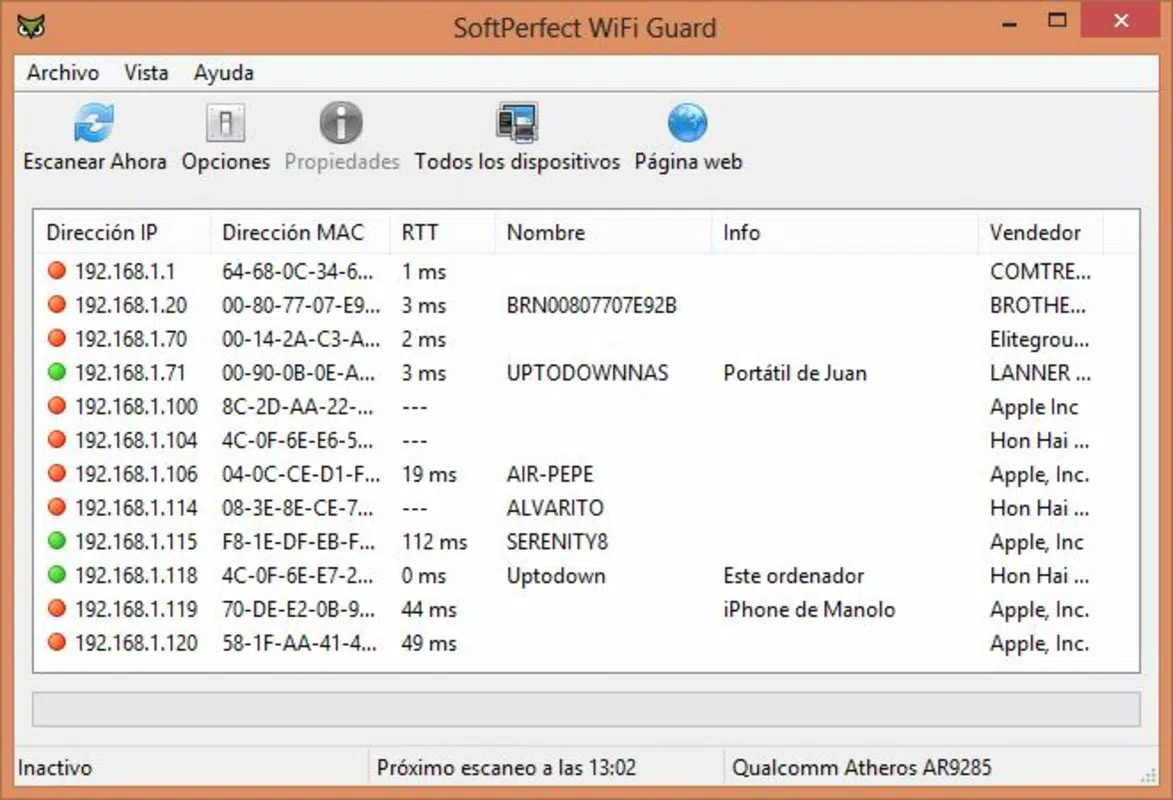
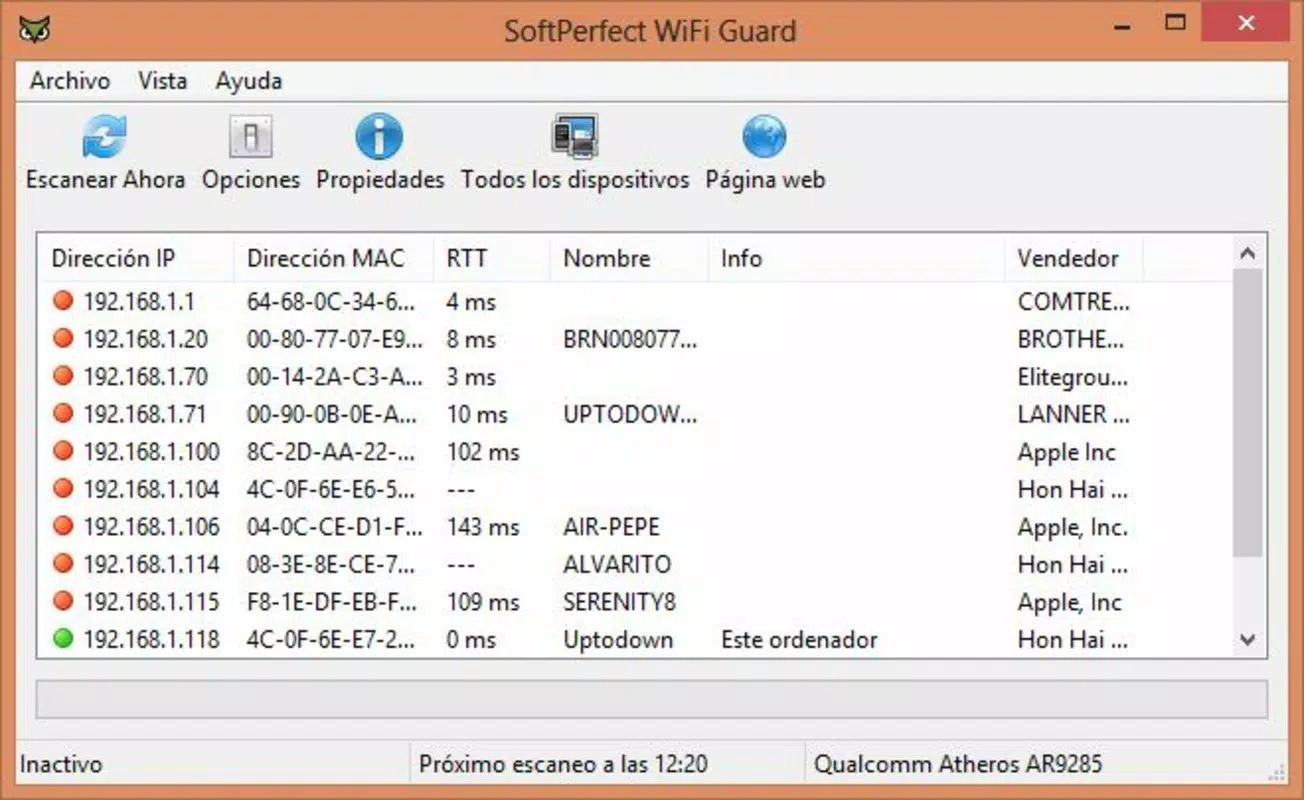
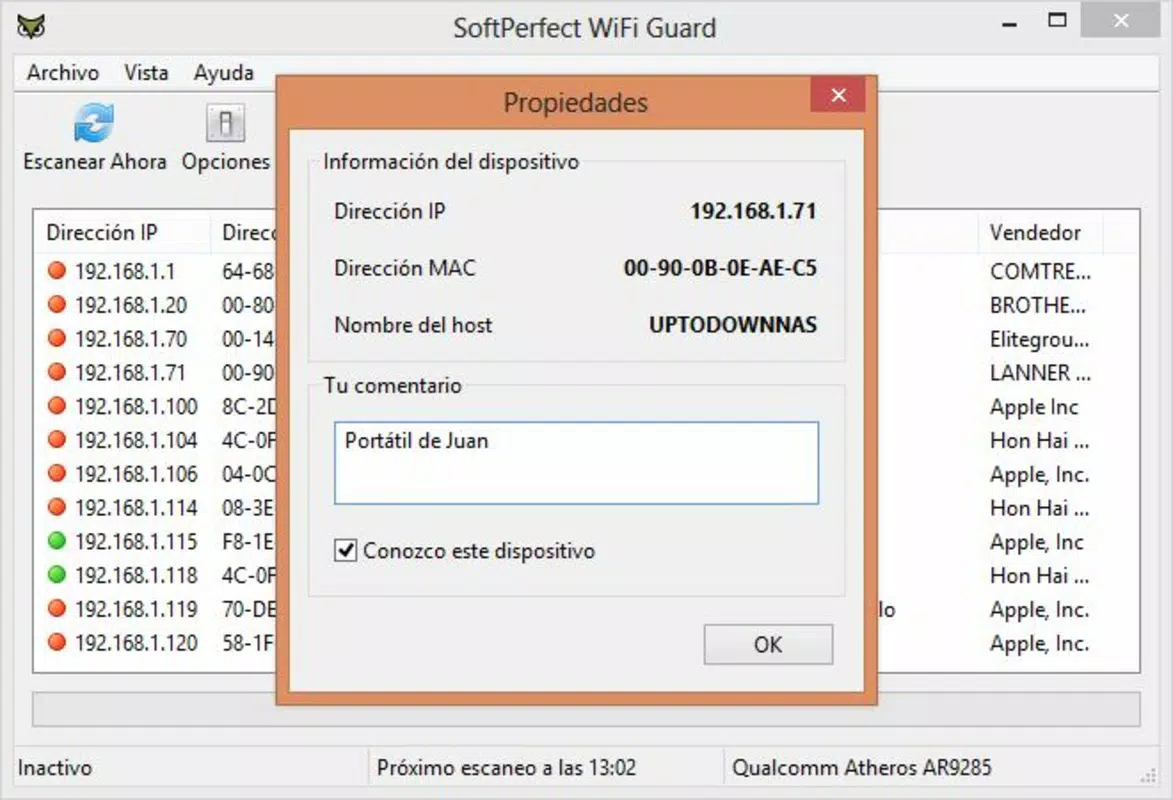
WIFI Guard delivers a suite of practical tools tailored for real-time network oversight and device management. The core functionality centers on identifying all devices currently connected to the user’s WiFi network, displaying detailed information such as computer names, MAC addresses, and IP addresses. This level of detail allows users to cross-reference known devices with unknown entries, facilitating the detection of unauthorized access attempts. A notable feature is the ability to personalize connected devices by assigning custom names and marking them as trusted. This functionality streamlines long-term network management by creating a user-defined list of authorized devices, reducing the cognitive load of identifying legitimate users among a growing number of connections. For instance, a user can label a smart TV as “Living Room TV” or a laptop as “Work Laptop,” making future checks more intuitive. The app supports scheduled network checks and customizable notifications. Users can set the app to scan their network at regular intervals—such as every hour or daily—ensuring continuous monitoring without manual intervention. Additionally, the app can trigger alerts when a new or unrecognized device connects, enabling immediate response. This automation is ideal for users who want proactive security without constant vigilance. Another valuable feature is the export of the connected device list as a text file. This allows users to archive records for future reference, audit purposes, or troubleshooting. For example, a user could export the list before traveling and compare it upon return to detect any unauthorized access during their absence. These features collectively enhance network transparency and user control.- Identify all devices connected to your WiFi network
- View detailed information: computer name, MAC address, IP address
- Assign custom names and mark devices as trusted
- Schedule automatic network scans at user-defined intervals
- Receive real-time notifications for unknown device connections
- Export connected device list as a text file
- Monitor and track IP and MAC address activity
Interface, UX & Performance
WIFI Guard features a clean, minimal interface designed for efficient navigation and quick access to core functions. The layout prioritizes clarity, with a central display showing a list of connected devices and their associated details. Navigation is straightforward, relying on intuitive tap-based interactions to access device settings, export options, and scheduling tools. The visual style is functional, using clear typography and simple color coding to differentiate trusted from unknown devices, though no advanced animations or dynamic visuals are present. The app is designed for ease of use, allowing users to perform essential tasks—such as marking a device as trusted or exporting a list—with minimal steps. The workflow is linear and consistent, reducing the learning curve for new users. Although the developer did not list formal performance metrics, the app’s 15.4 MB size suggests a lightweight footprint, which typically correlates with efficient memory usage and low battery consumption. Performance across different device categories is not explicitly documented. However, given its focused functionality and small file size, it is likely to operate smoothly on mid-range and higher-end Android devices. Responsiveness appears to be a strength, with immediate updates when network scans are initiated. Stability is not independently verified, but the absence of reported issues in the provided data suggests reliable operation under normal conditions. The app does not require high-end hardware or extensive permissions beyond basic network access, which aligns with its utility-focused design. Users can expect consistent performance during routine checks, though real-world behavior may vary based on network speed and router configuration.Platform Compatibility & Technical Requirements
WIFI Guard is available exclusively on the Android platform, making it accessible to users of Android-based smartphones and tablets. The current version is 1.0.0, indicating an initial release with foundational features. The app has a file size of 15.4 MB, which is compact and suitable for devices with limited storage capacity. The developer did not specify minimum OS requirements, so compatibility with older Android versions cannot be confirmed. Users should ensure their device is running a recent version of Android to maximize stability and security. No additional hardware or system-level prerequisites are mentioned, suggesting the app functions with standard Android network capabilities. The app is offered for free, with no in-app purchases or advertisements disclosed in the provided data. This pricing model enhances accessibility and supports broad adoption among users seeking a no-cost solution for network monitoring.Pros and Cons
- Free to download and use with no hidden costs
- Lightweight design at only 15.4 MB
- Provides detailed device information including MAC and IP addresses
- Supports automated network checks and real-time alerts
- Allows users to personalize and trust devices for easier management
- Offers export functionality for device lists
- Simple, intuitive interface suitable for non-technical users
- Platform availability limited to Android only
- No information on minimum OS version or compatibility details
- Developer background not publicly documented
- Performance metrics not provided
- Does not include advanced security features like firewall integration or device blocking
- Exported files are in plain text format, which may lack encryption


